THM | AoC 2025 | Day 14

Day-14: Containers - DoorDasher's Demise
SUMMARY
We start with a quick Container theory, then we investigate a defaced website and discover it to be hosted in a Docker container with a critical vulnerability: the Docker socket is exposed to the container, giving us full access to the Docker Engine.
Using this, we escalate privileges to a more privileged container, recover the original website by running a recovery script, and grab the flag. As a bonus, we find a hardcoded password on another service and use it to take over the "deployer" user account.

Containers - DoorDasher's Demise
- TL;DR: Continue your Advent of Cyber journey and learn about container security.
- Original Room: TryHackMe | Advent of Cyber 2025 | DAY 14 - Containers - DoorDasher's Demise
STORYLINE
"DoorDasher, a Wareville food delivery service, has been hijacked and rebranded as "Hopperoo" by King Malhare. The takeover replaced menu items with bizarre ingredients (including Santa's beard fragments), causing choking incidents and health violations. When a security engineer attempted to restore the system, Sir CarrotBaine locked him out. The SOC team must now escape their monitoring container, escalate privileges, and restore the site."
THEORY
Containers are isolated packages bundling applications with their dependencies, solving installation, troubleshooting, and version conflict problems. They share the host OS kernel (unlike VMs with full guest OSs), making them lightweight and fast.
Why Containers Matter
Microservices architecture breaks applications into independently scalable components. Containers' lightweight nature makes scaling specific parts efficient without scaling the entire application.
Docker
Docker is the popular container engine that builds, runs, and manages containers using Dockerfiles—text scripts defining app environments and dependencies for consistent deployment across systems.
Security Risk
Container escape is an attack where code inside a container exploits vulnerabilities to access the host kernel or other containers. This occurs when attackers communicate with the container runtime's Unix sockets, which expose the API server managing containers.
CHALLENGE
Let's start with checking out the defaced website running on the target on port 5001.
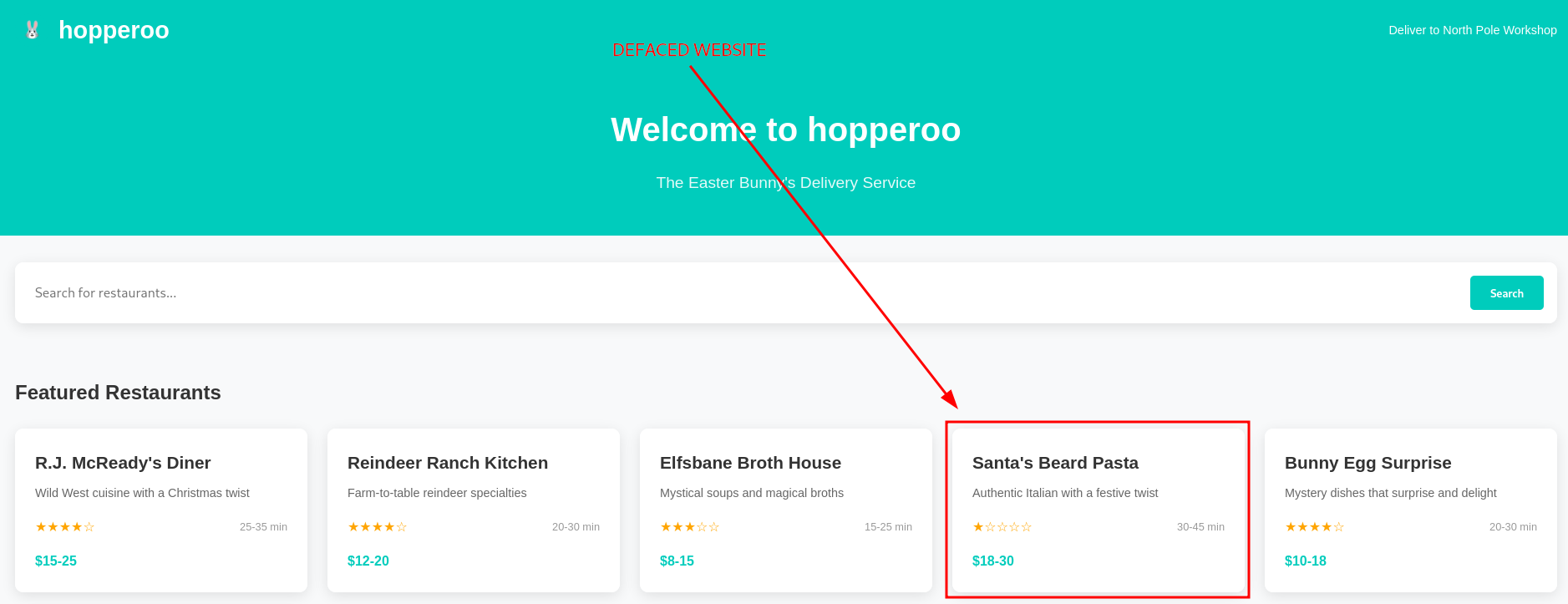
Figure 1: Defaced Website
As we can see, the bening "DoorDasher" website was replaced by a malicious "Hopperoo" website. Given our access to the target system, let's check on the running docker containers with docker ps.

Figure 2: Running Docker Containers
The guide nudges us towards the "uptime-checker service which has access to port mapping 0.0.0.0:5003->80/tcp, so let's try and access it via our browser on port 5003.
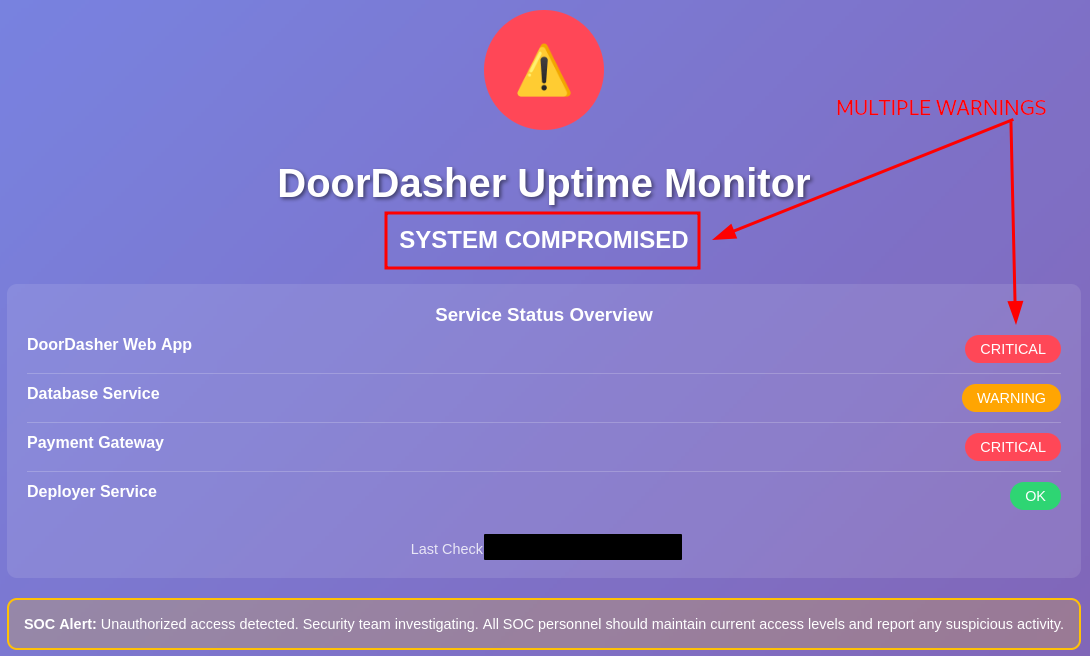
Figure 3: Uptime-Checker Web Interface
Oh, the web interface reports multiple warnings and a system compromise for the "DoorDasher" service. Let's try to access the container and see if we can get execution inside the container with docker exec -it uptime-checker sh.
To break it down, docker exec executes a command in a running container, -i makes it interactive, -t allocates a pseudo-TTY, uptime-checker is the container we want to run the command in, and lastly, sh is the basic shell and is the binary/command we want to run.
Once we run it, we are welcomed with "root" access and dropped into the "root" directory /.

Figure 4: Uptime-Checker Container Initial Recon
The next thing to check out is the socket access, which we can do by running ls -la /var/run/docker.sock. To simplify it, the Docker socket is a file that allows communication with the Docker Engine through an API. When a container has access to this socket, it can create, manage, and control other containers.

Figure 5: Socket Access within the Uptime-Checker Container
By default, Docker's Enhanced Container Isolation feature blocks socket access, meaning, the socket file is NOT mounted into the container. But in this instance, the socket file was mounted and we should have manager access to the Docker Engine from within the "uptime-checker" container.
Given our elevated privileges, let's try to access and run commands in the privileged "deployer" container. Let's use bash this time, instead of the basic sh: docker exec -it deployer bash. We got it, it worked and now we have command execution inside the "deployer" container.
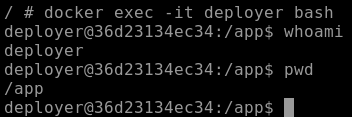
Figure 6: Command Execution within the "deployer" Container
Once we did a quick recon,
whoamito check who we are logged in aspwdto get the full path to our current working directory
we follow up by taking a look around the root directory (/) with ls -hla.
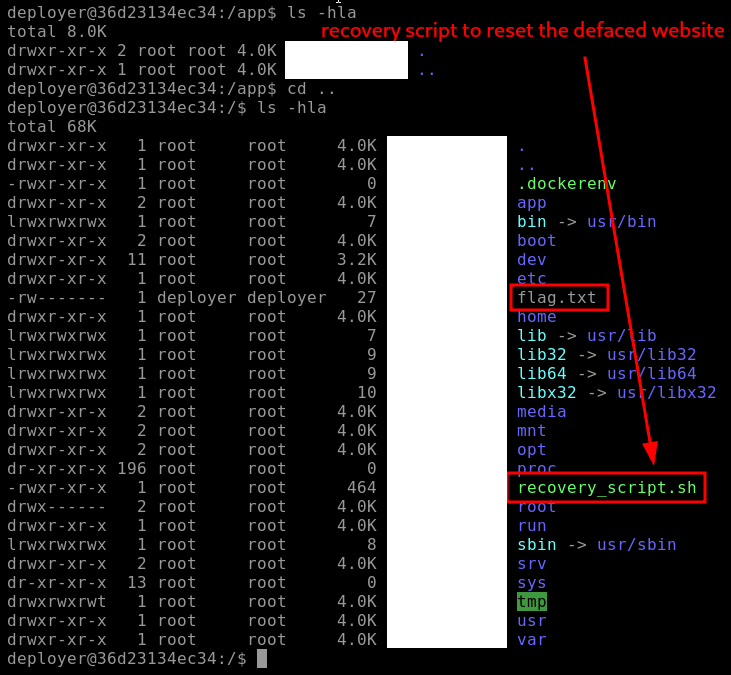
Figure 7: Root Directory Enumeration - Flag and Recovery Script
There are two notable discoveries/findings here:
- "flag.txt" | probably the flag for one of the questions below
- "recovery_script.sh" | the recovery script which hopefully can fully restore the "DoorDashes" original website
Let's first grab the flag with cat flag.txt and then try to restore the website by running sudo ./recovery_script.sh which runs the recovery script with sudo privileges.
If we take a closer look at the script and it's privileges, we can note that "sudo" owns the script both in user and group, but everybody (other) has the permission to execute it - EVEN we logged in as the "deployer" user.
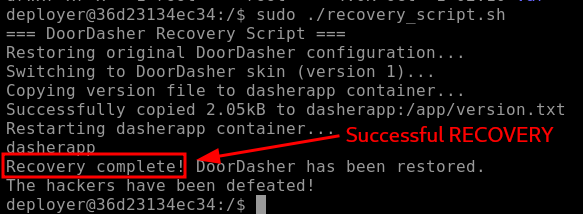
Figure 8: Recovery Script reporting Successful Recovery
The script reports a successful recovery, and when we check again on the website (port 5001) via browser, indeed, it has been fully restored.
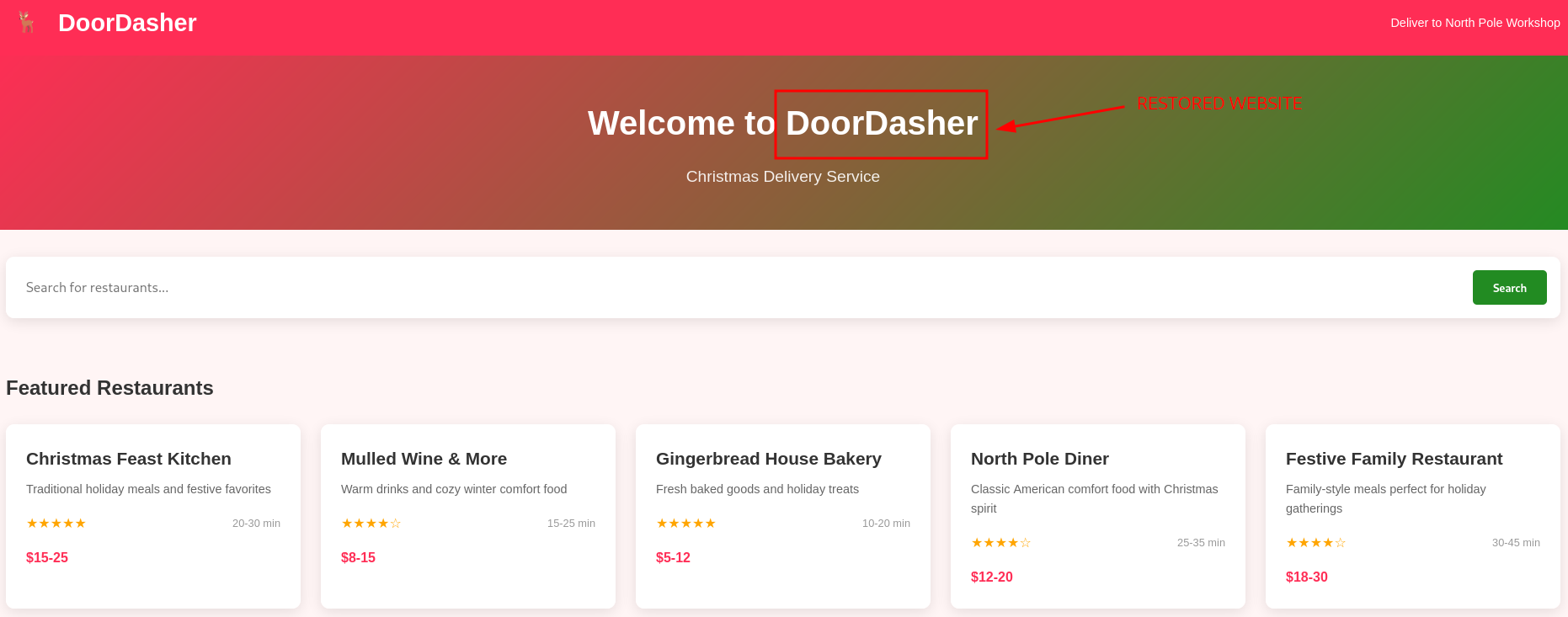
Figure 9: Restored "DoorDasher" Website
Lastly, the Bonus Question mentions a news website running on port 5002. Let's check it out.
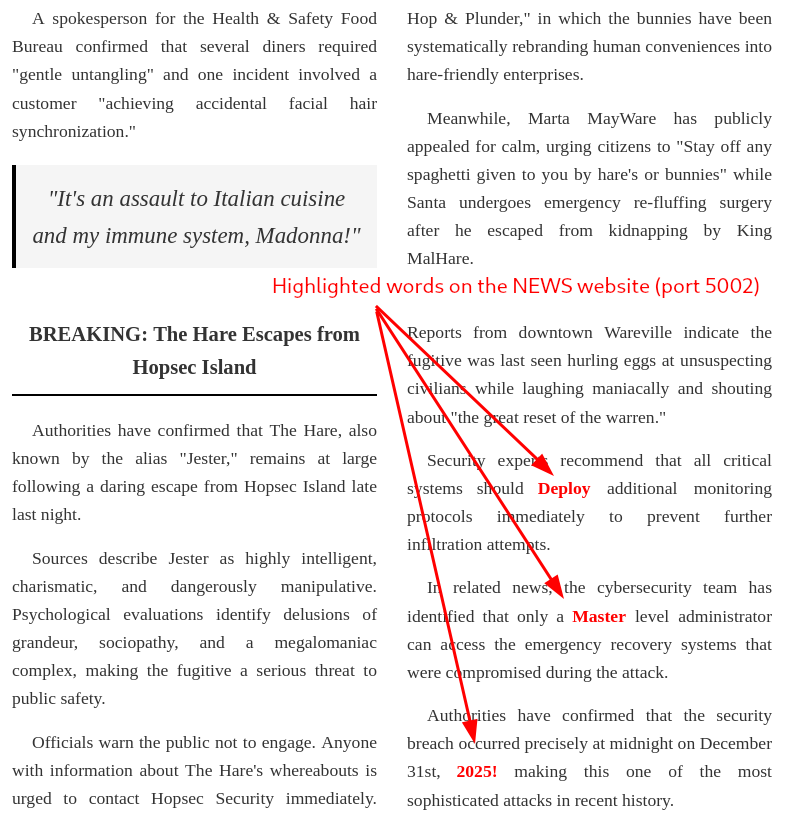
Figure 10: Suspiciously highlighted words
There are a couple of words highlighted here: "Deploy", "Master", "2025!". If we concatenate them, it looks like a password, which could be potentially very dangerous. Let's verify it by attempting a password change with passwd:
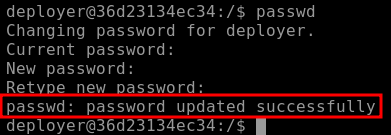
Figure 11: Successful Password Change
Wow, it worked, "DeployMaster2025!" was trully the "deployer" user's password and we changed it to a password that now WE control.
Q & A
Question-1: Continue your Advent of Cyber journey and learn about container security.
docker ps
Question-2: What file is used to define the instructions for building a Docker image?
Dockerfile
Question-3: What's the flag?
[REDACTED-FLAG]
Question-4: Liked the content? We have plenty more where this came from! Try our Container Vulnerabilities room.
No answer needed
Bonus
Bonus-Question: There is a secret code contained within the news site running on port 5002; this code also happens to be the password for the deployer user! They should definitely change their password. Can you find it?
DeployMaster2025!